Hiring
Every applicant, from application to hire.
Advertise a role on Seek, Trade Me Jobs or by referral, and every application lands on one board. Move people through your own hiring steps, with the messages and onboarding sent for you, then place them in the role in a couple of clicks.

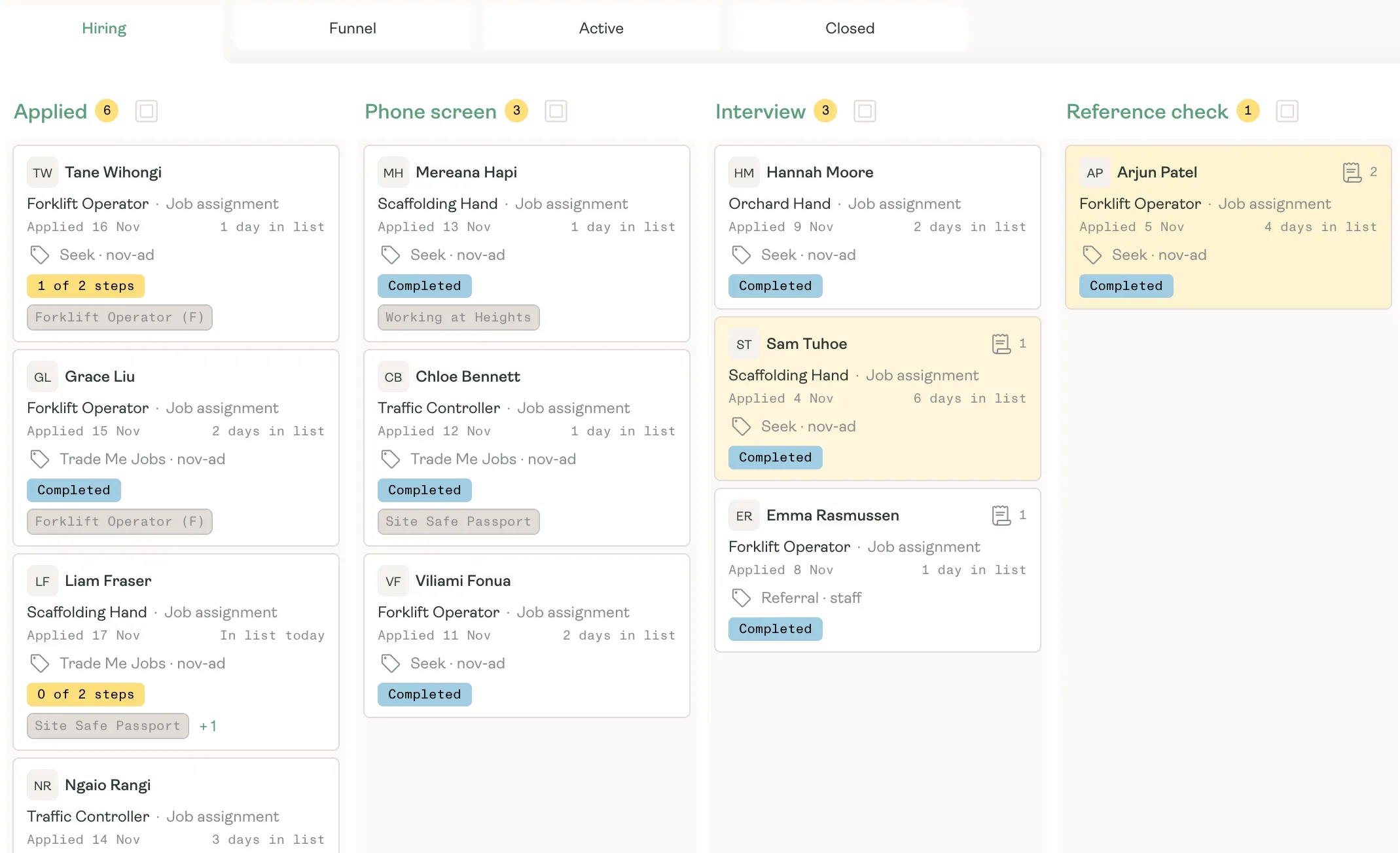
Applicant board
One board for every open role.
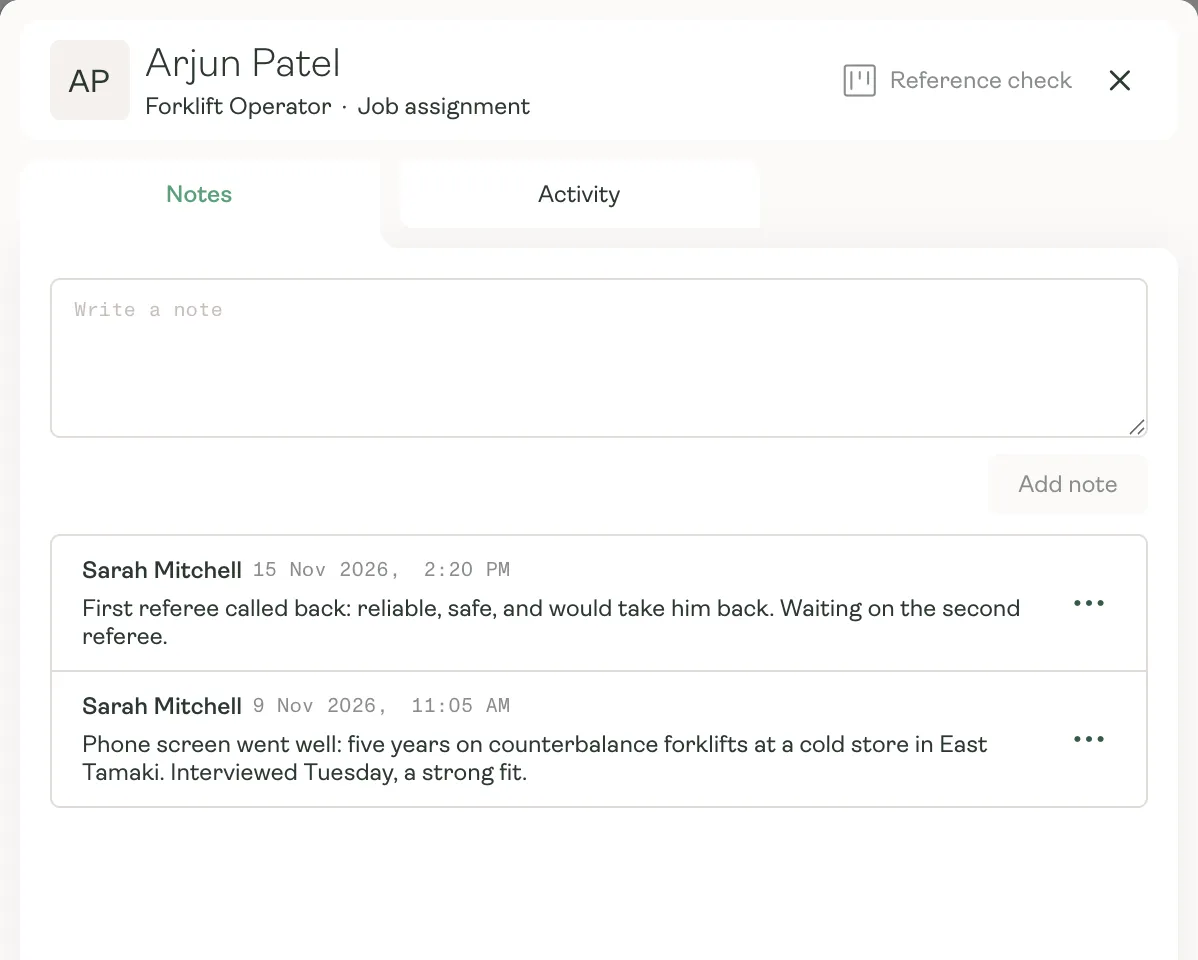
Every application is a card showing the role, when they applied, how long they’ve waited, where they came from and any tickets they’re missing. Drag cards through your own lists, and anyone waiting too long turns yellow so nobody slips through.
- Your own lists, from Applied through to Hired
- Where each applicant came from: Seek, Trade Me Jobs or a referral
- Missing tickets on the card, before you pick up the phone
From applied to placed
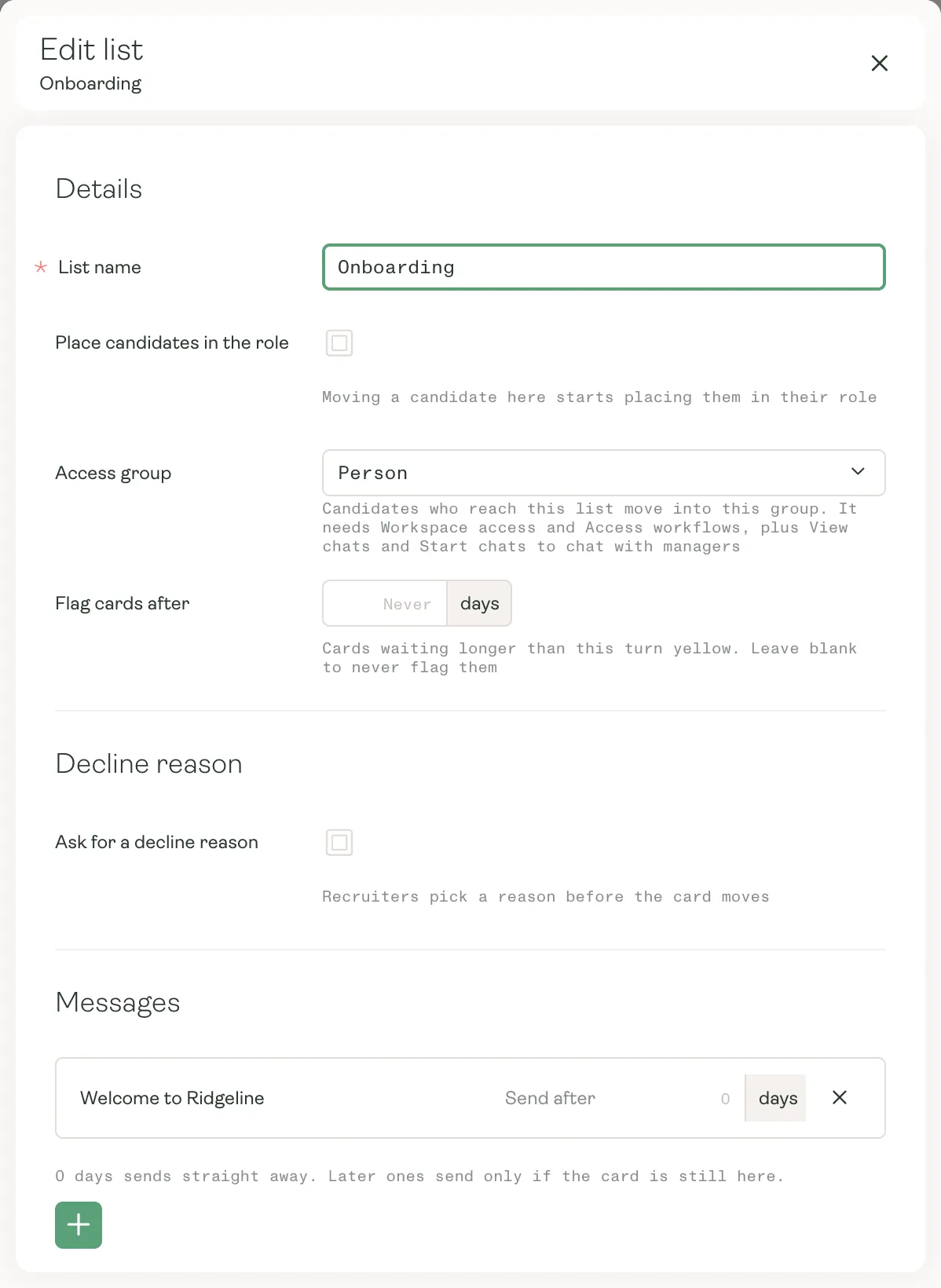
The follow-up does itself.
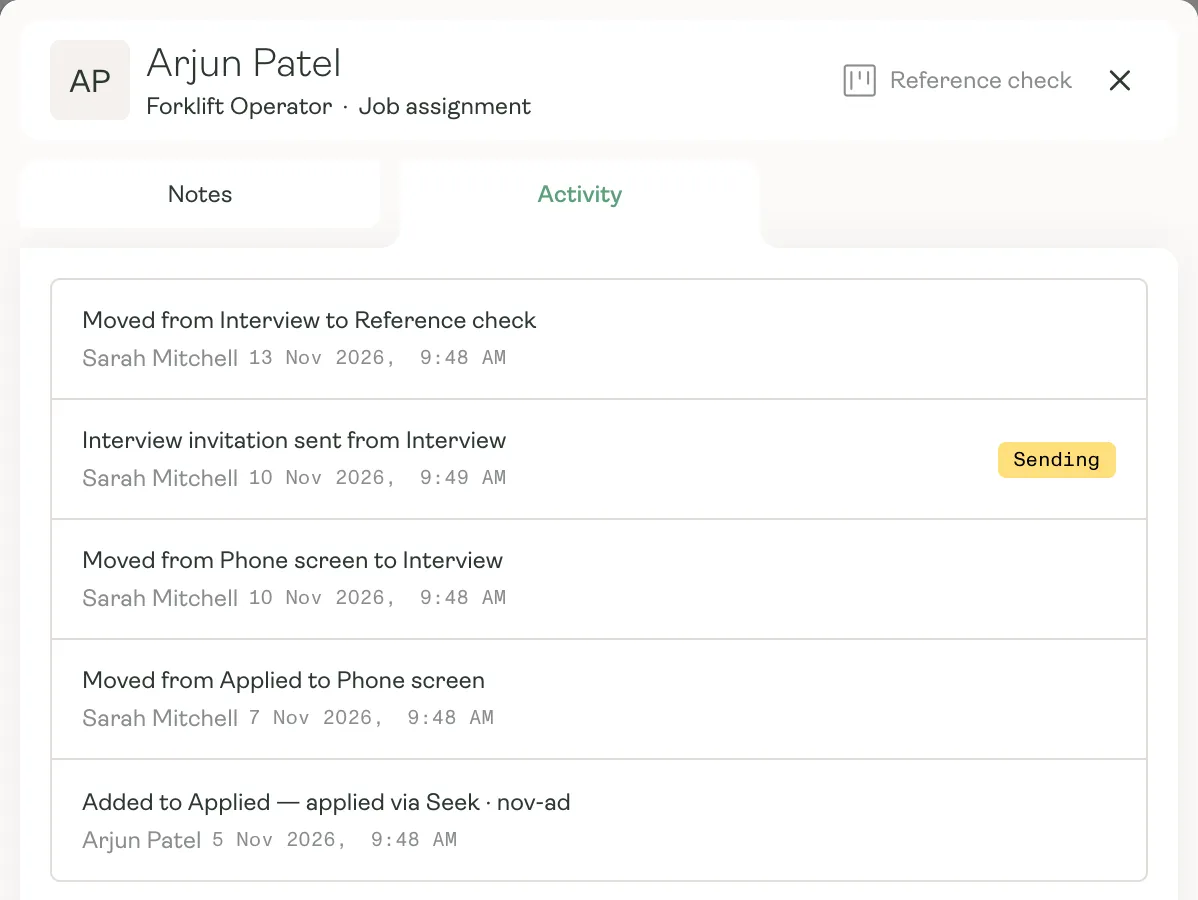
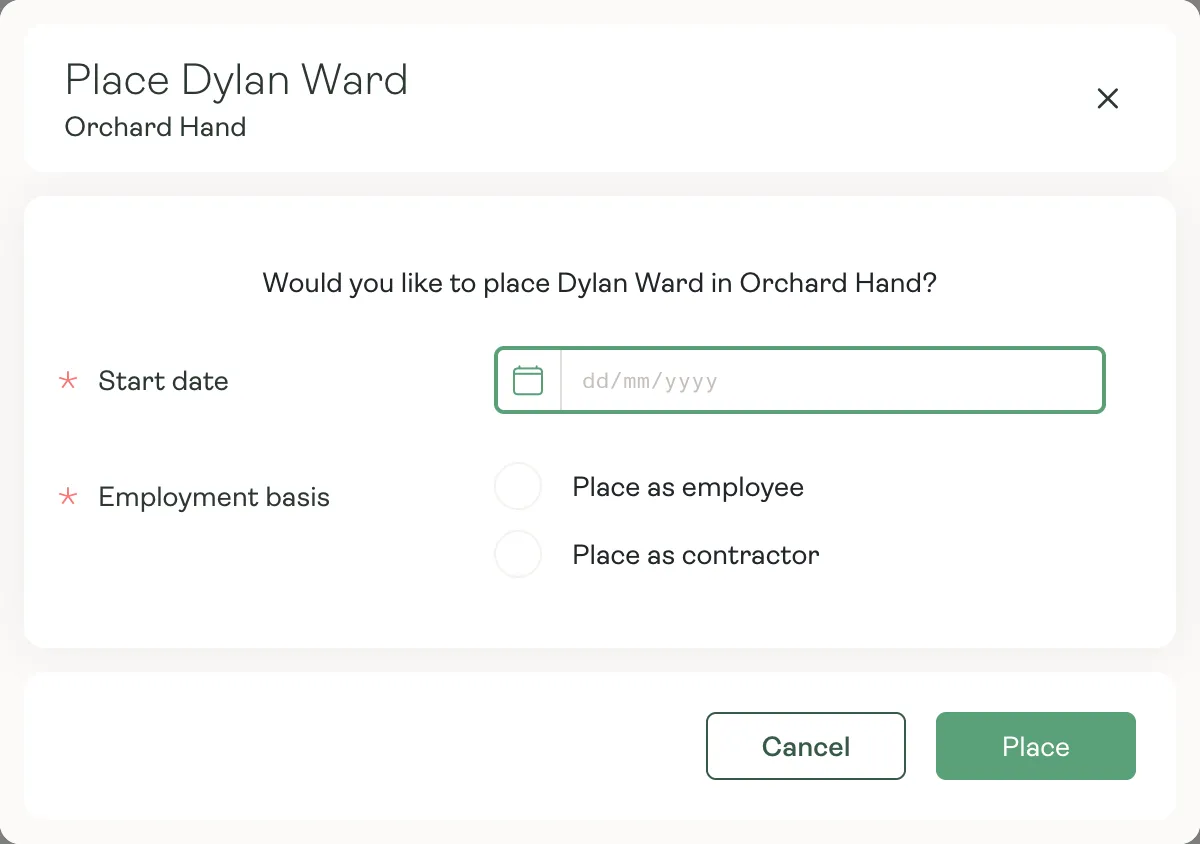
Set up your lists once. From then on, moving a card sends the right message, gives the right workflow and keeps the record.
Funnel
See what’s working.
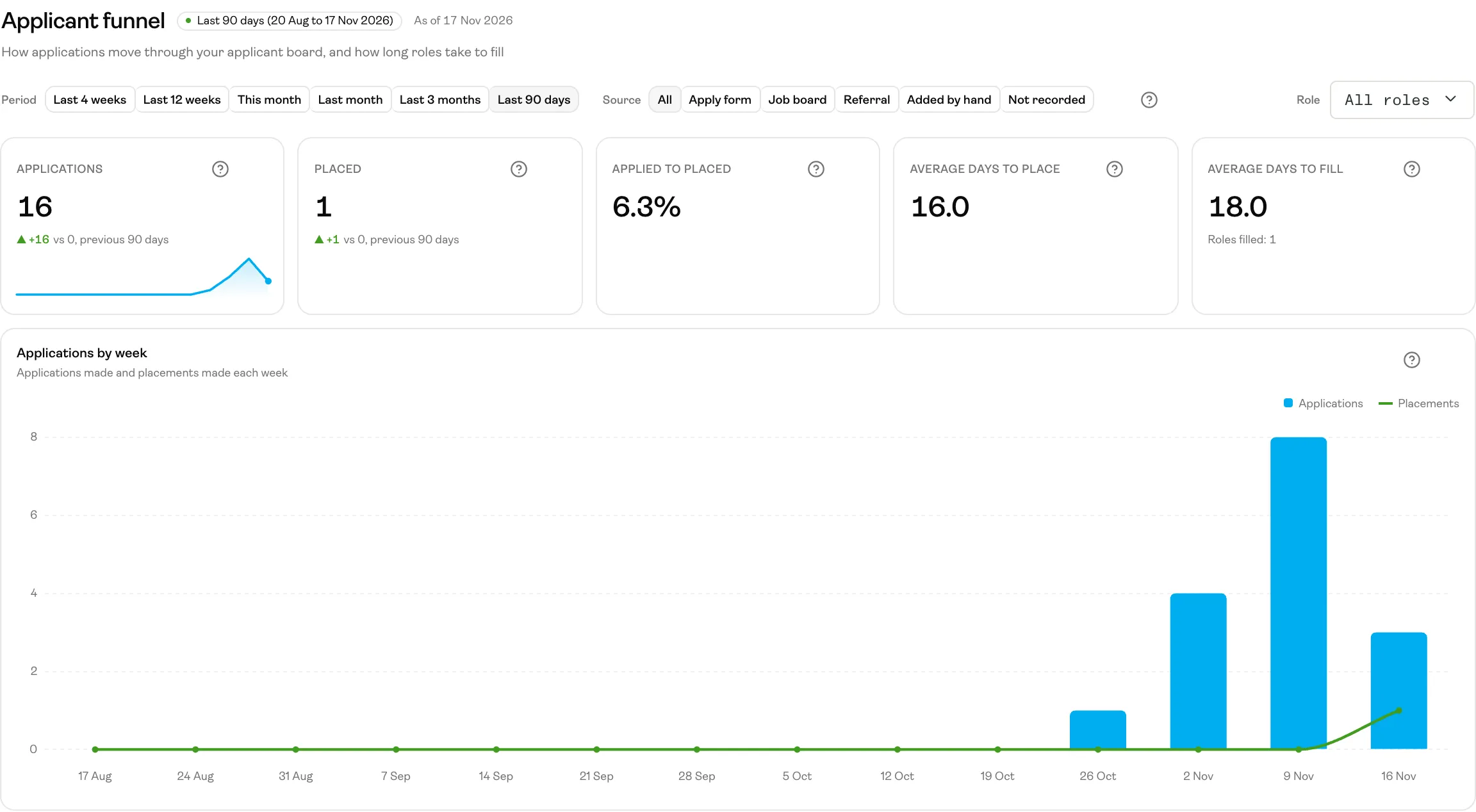
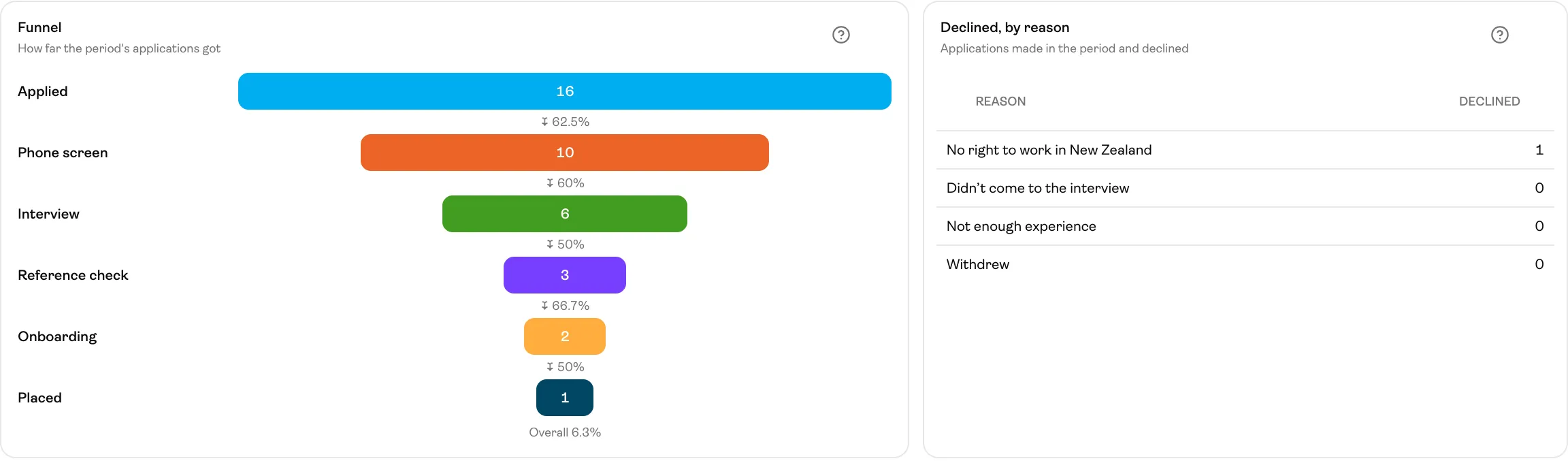
The funnel shows how many applied, how far they got, why people were declined, and how long roles take to fill. Look at every role or one at a time, and compare job boards, referrals and your own apply form.
- Applications and placements, week by week
- Where applications stop, list by list
- Days to place and days to fill, for every role
Why it matters
Hire faster, and keep track.
- 01
Applications that ask the right questions
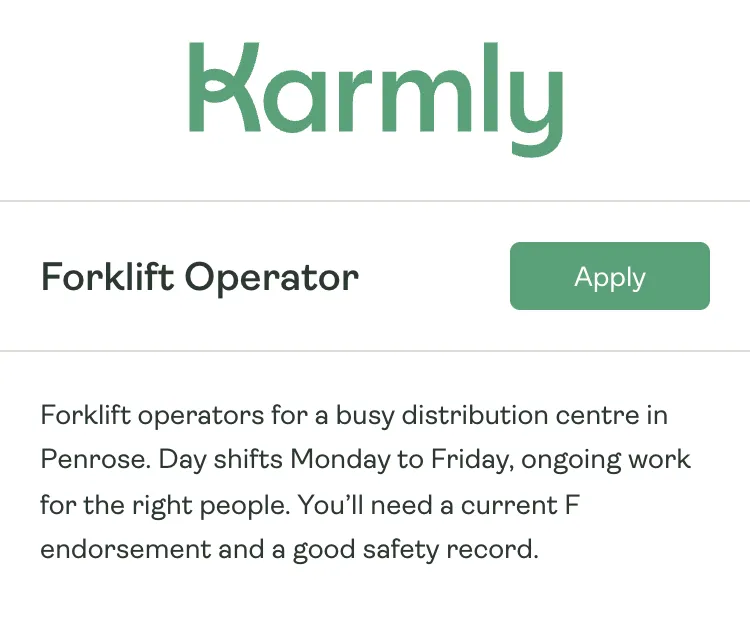
Applicants answer your questions and send their CV as part of applying, in the Karmly app.
- 02
Messages on autopilot
Interview invitations, welcomes and thank-you notes go out when a card moves, straight away or a few days later.
- 03
Straight into onboarding
When someone’s ready, a list gives them the Karmly app and starts their onboarding for you.
- 04
Each branch sees its own
Team managers see and move only the applicants for their own team’s roles.
Fill roles faster, with less chasing.
See how Karmly takes an applicant from application to their first shift.