Onboarding & inductions
Ready to start on day one.
New starters fill in their own details, tax code and KiwiSaver from their phone, and sign your policies before their first shift. Client site inductions work the same way, checked and approved before anyone arrives on site.

Onboarding
Paperwork done before the first shift.
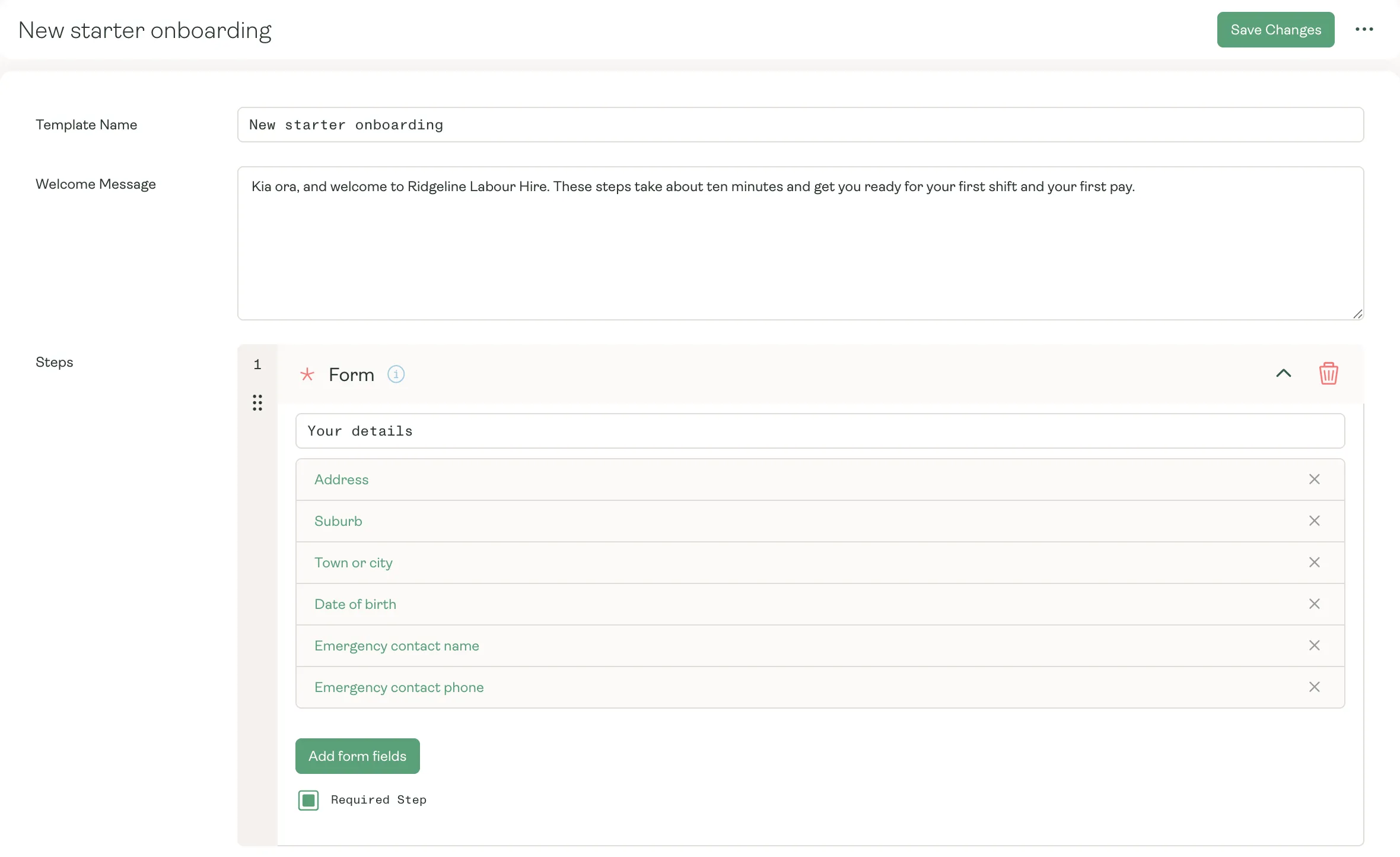
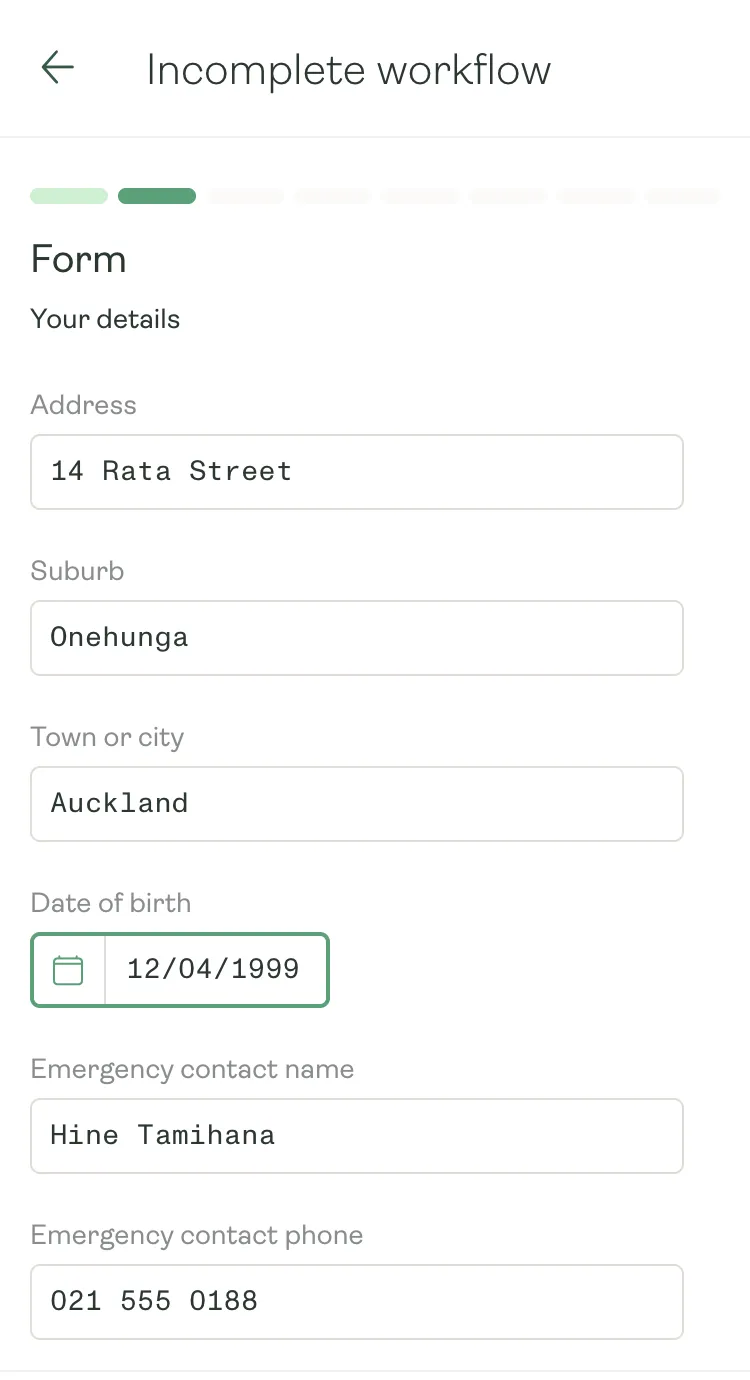
Build your onboarding once, with your own forms, documents to upload and policies to sign. New starters work through it on their phone, and once you approve it, their answers update their record, ready for payroll.
- Address, birth date, emergency contact and bank account, entered by the worker
- Documents uploaded from their phone, such as a passport or visa
- Policies read and signed, with their name and the date recorded
Tax and KiwiSaver
Their first pay, set up by them.
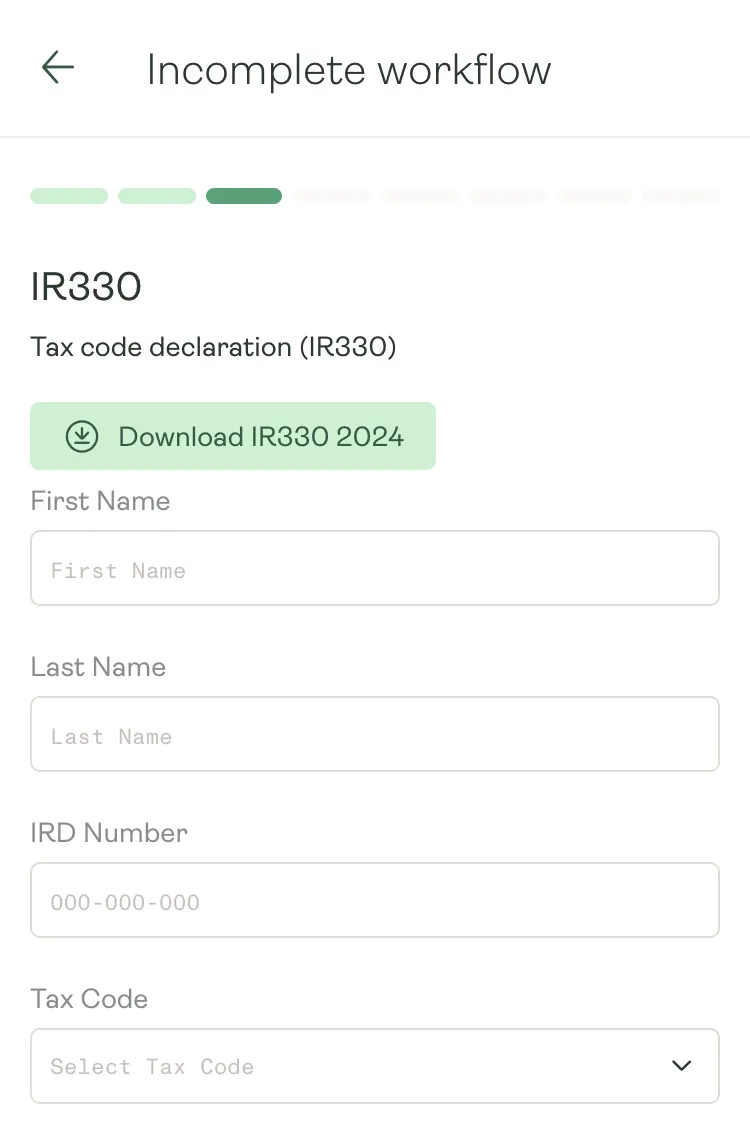
The IR330 tax code declaration and the KS2 KiwiSaver form are built in. New starters choose their tax code and KiwiSaver rate in the app, and when you approve their onboarding it flows into payroll, with no forms to re-key.
- IR330 and KS2 steps, ready to add to any onboarding
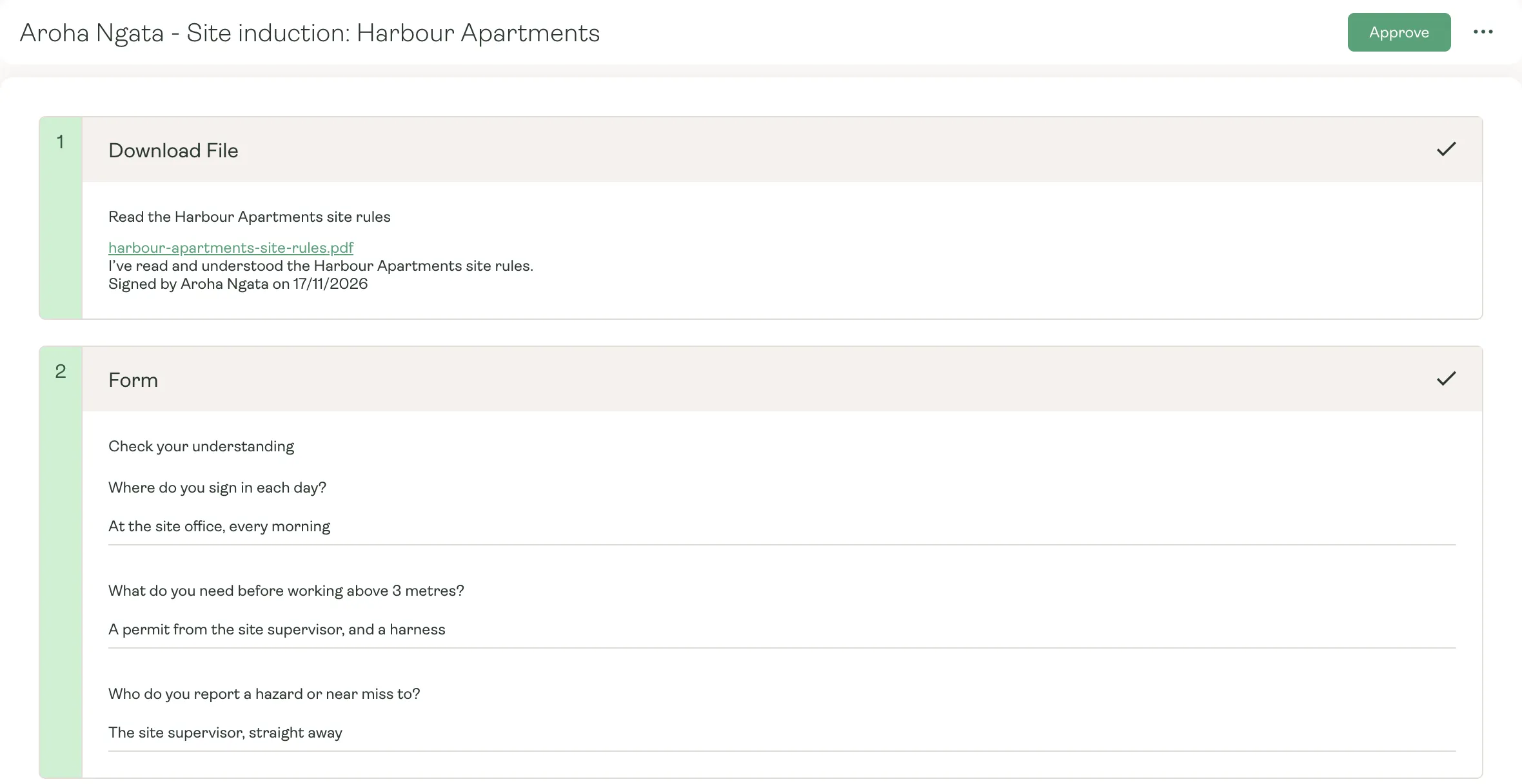
- Answers checked by you before they reach payroll
- Saved step by step, so they can pick up where they left off
Site inductions
Inducted before they’re on site.
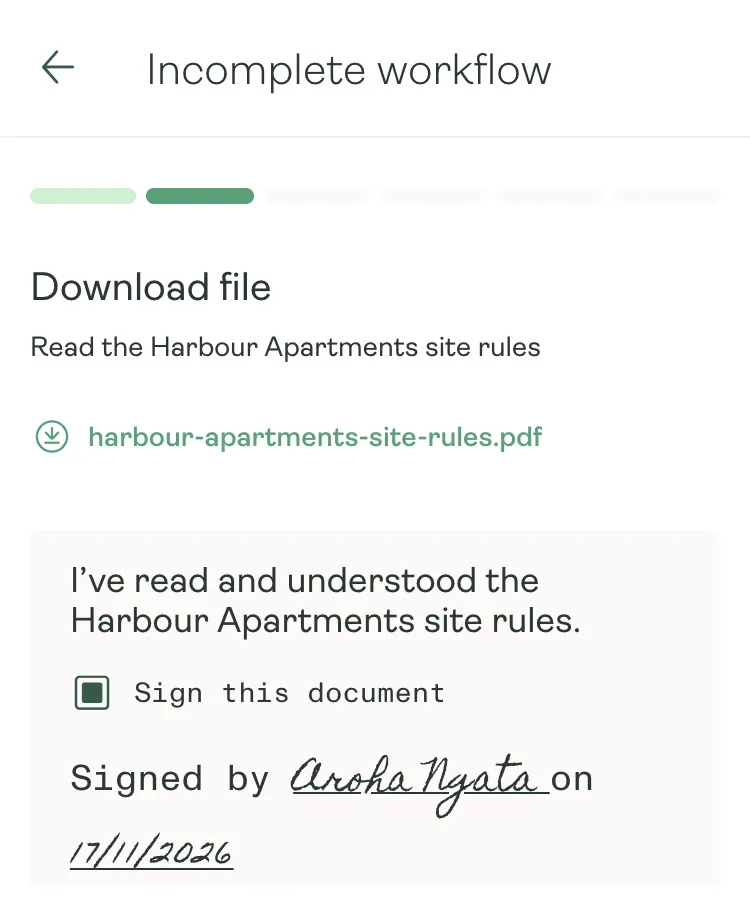
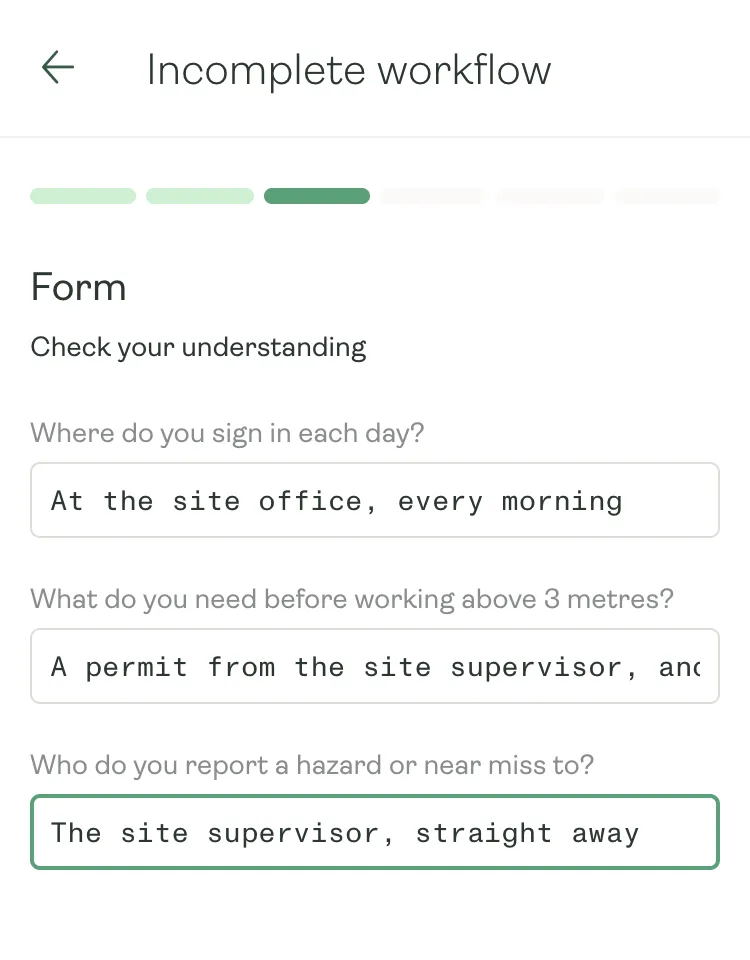
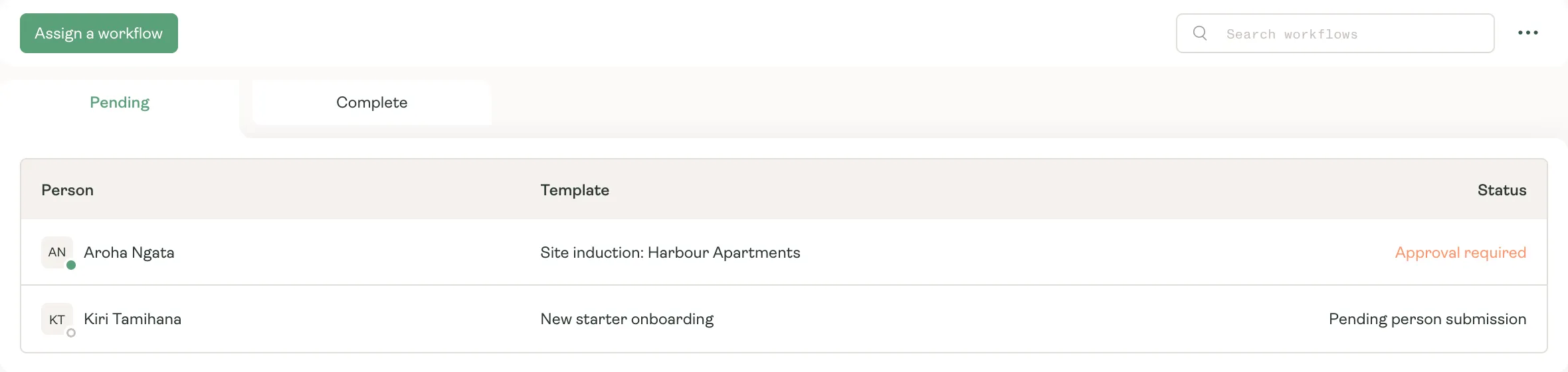
Build each client’s site induction once, give it to whoever is starting there, and check it before day one.
Why it matters
Nobody starts unprepared.
- 01
Required means required
Make a workflow required, and the worker can’t clock in, record time, claim expenses or request leave until it’s done.
- 02
Videos, links and tasks
Add a safety video, a link to a site map, or a task to tick off, like bringing their own safety gear.
- 03
Waiting when they open the app
Anything unfinished opens with your welcome message the next time they open the Karmly app.
- 04
Given as you add them
Choose a new starter’s onboarding as you add them, or give any workflow to many people at once.
Start every placement properly.
See how Karmly gets new starters and site inductions done before day one.