Margin & insights
The margin known before the invoice.
Karmly prices every shift and every hour as it happens, against the margin you’ve set for each client. Insights then shows where that margin comes from, week by week and client by client.

Margin targets
Set the margin you want, and protect it.
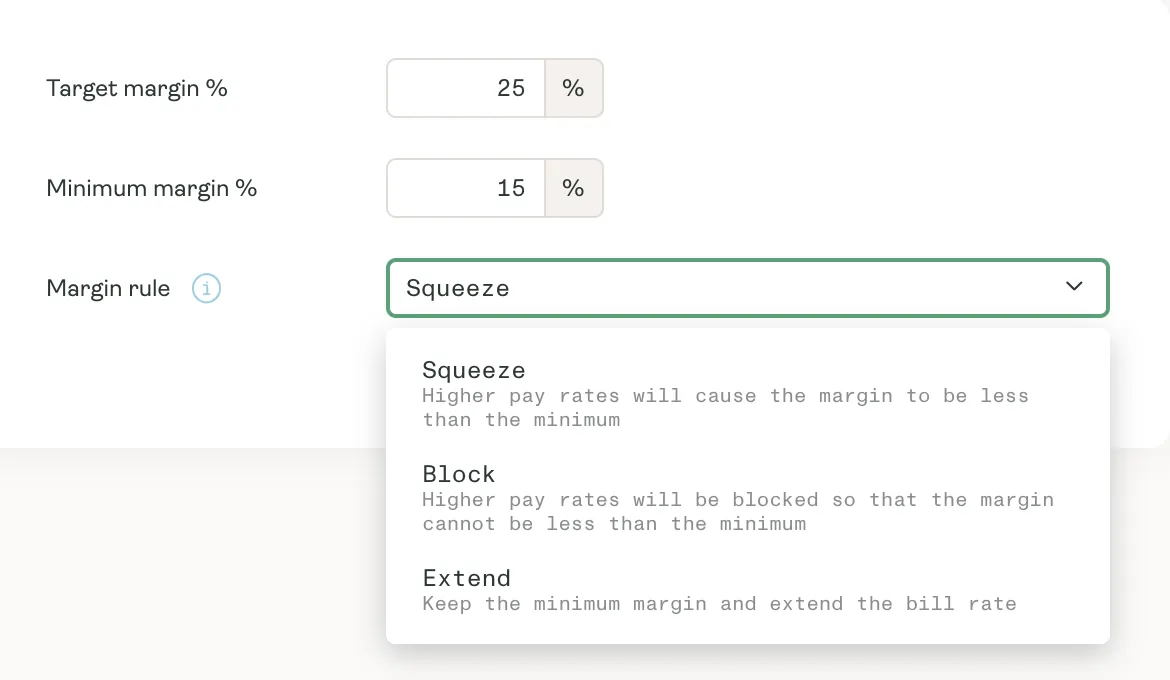
Every charge rate table carries a target margin and a minimum. When a higher pay rate would take a job under the minimum, you decide what happens: accept the thinner margin, block the higher pay, or lift the charge to keep it.
- A target and a minimum margin on every charge rate table
- Charge rates rounded the way you quote them
- On-costs included, so you see net margin as well as gross
Report packs
Your margin, week by week.
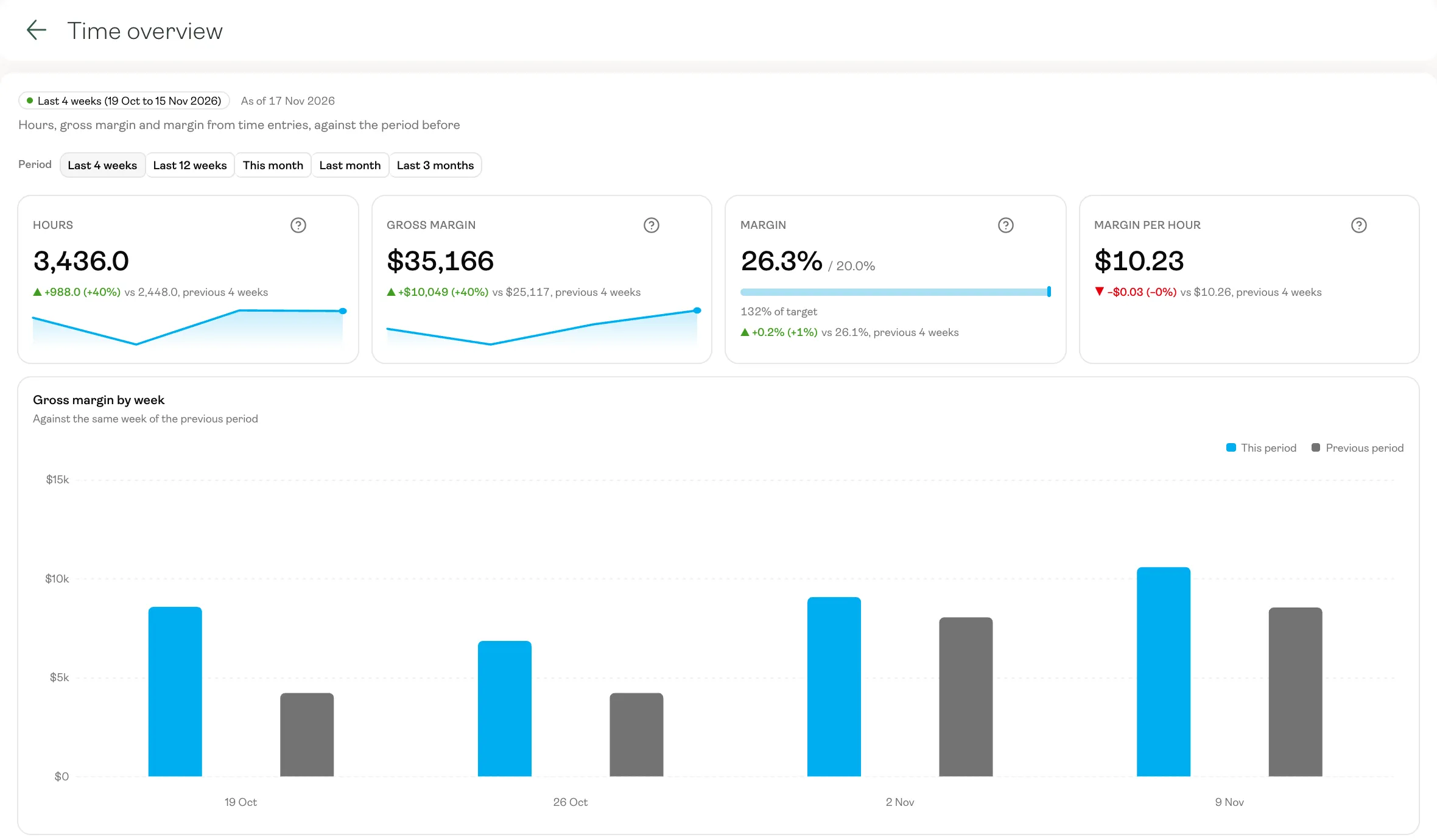
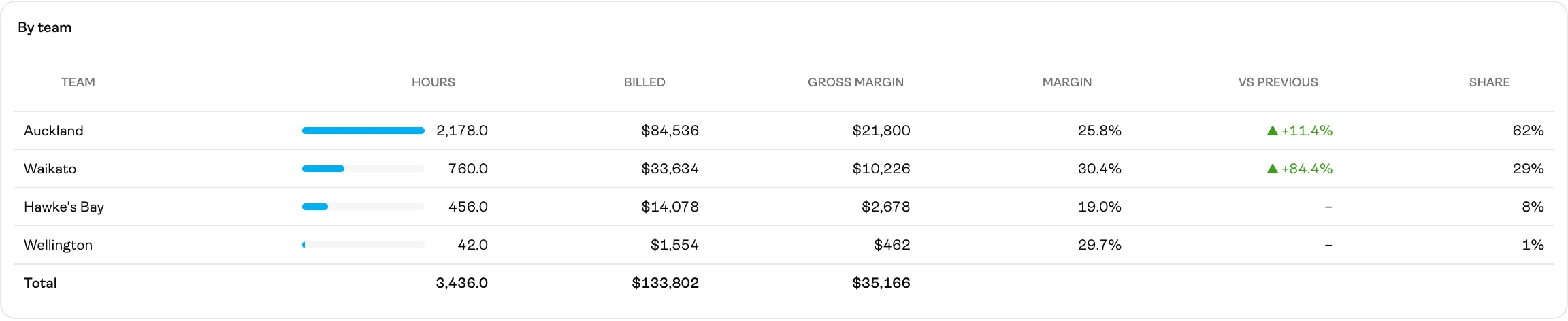
A report pack turns your time into a finished report: hours, gross margin and margin against your floor, each compared with the period before, then week by week and team by team. Tell us what you want to see, and we’ll set the pack up in your Insights.
- Headline numbers with the change on the previous period
- Margin measured against the floor you set
- Each team or client side by side, so a thin one stands out
Build your own
Any question, answered in a chart.
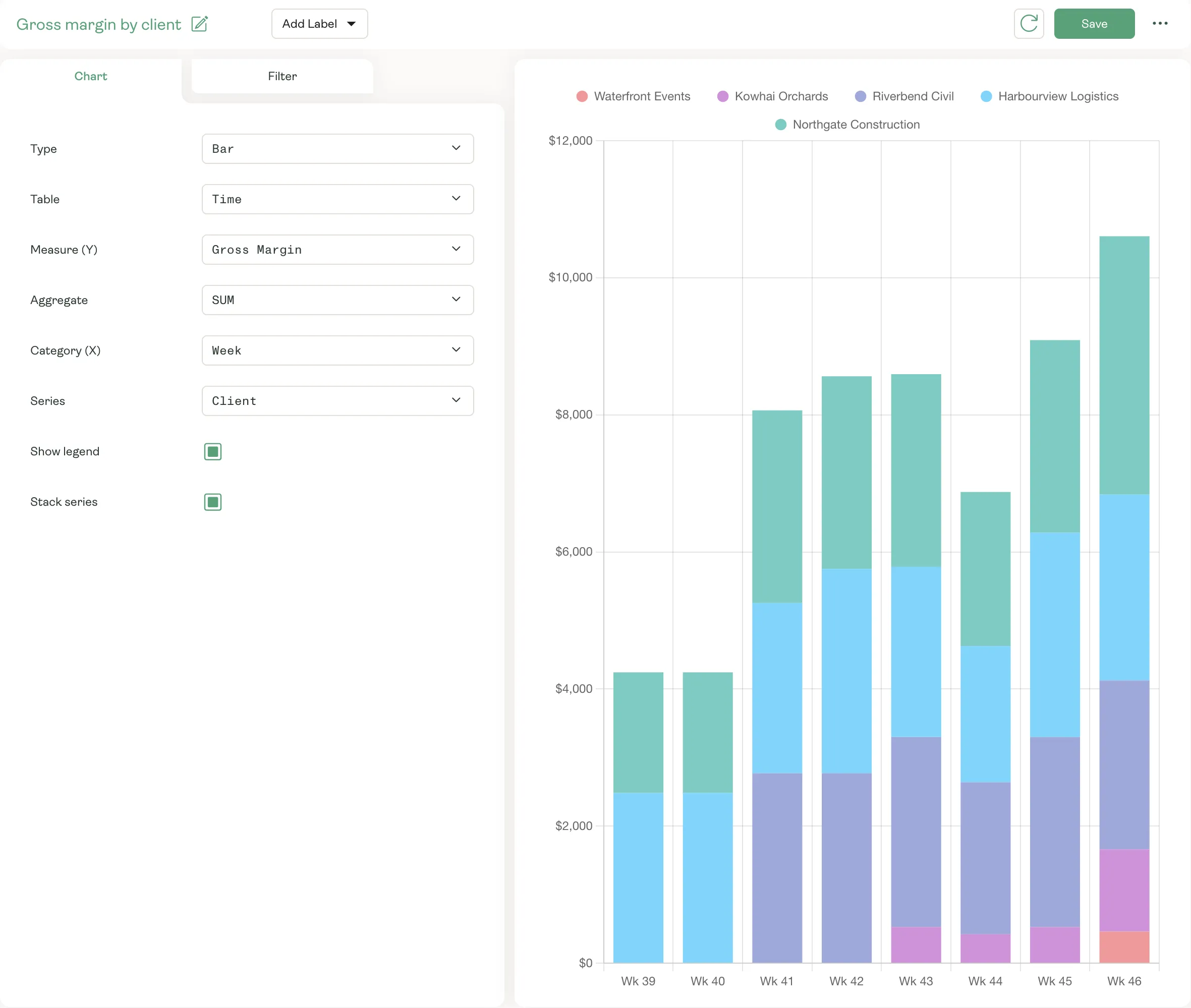
Build your own reports from time, the schedule, pay, invoices and more. Pick what to measure, how to group it and how to split it, and save it to come back to.
- Gross and net margin, pay and charge totals, hours and more
- Grouped by week, month, client, job, team or consultant
- Open to managers with report access, not only admins
Margin everywhere
No surprises at month end.
- 01
On every shift
The schedule shows each shift’s pay, charge and margin, with the week’s totals, before anyone starts.
- 02
On every hour
Time is priced as it’s recorded, with overtime and penalty rates in each day’s cost breakdown.
- 03
Against your target
Candidates for a shift show their margin against your target, so you can see what each choice costs.
- 04
On every invoice
Invoices are built from the same priced hours, with nothing re-keyed between pay and billing.
Know your margin before you invoice.
See how Karmly shows the margin on every shift, every hour and every client.